The following are the instructions to installing the L9 App. It’s not available for download on any app store so follow the steps below
STEP 1: USE SAFARI
Start by clicking on the L9 App Link below
STEP 2: Tap on the Action Button
Then click on the action button at the bottom of the screen
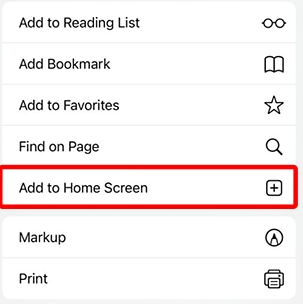
STEP 3:
Finally, select Add to Home Screen
This will save the icon on your phone / tablet
STEP 1: USE CHROME
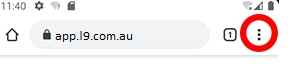
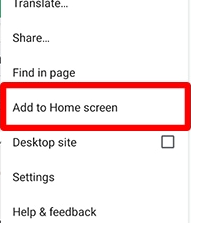
STEP 2: Tap on the 3 dots
Tap on the three dots on the navigation bar on the top right of the screen
Check out our New App, our all new training schedule
Please note, the old app will expire soon